Put the most urgent task on the first screen
What a legal aid nonprofit, an HVAC service and a seaside hotel taught us about what visitors need to see first.
Contents6
Many people arrive on a website with one thing to do, and some of them are in a hurry. A tenant facing eviction. A family whose air conditioning stopped working in August. A couple deciding where to stay next week.
For these visitors, the first screen is not the place for a slogan. It is where the site either helps them or makes them search. Three recent projects show how different that first screen can look.
A tenant facing eviction
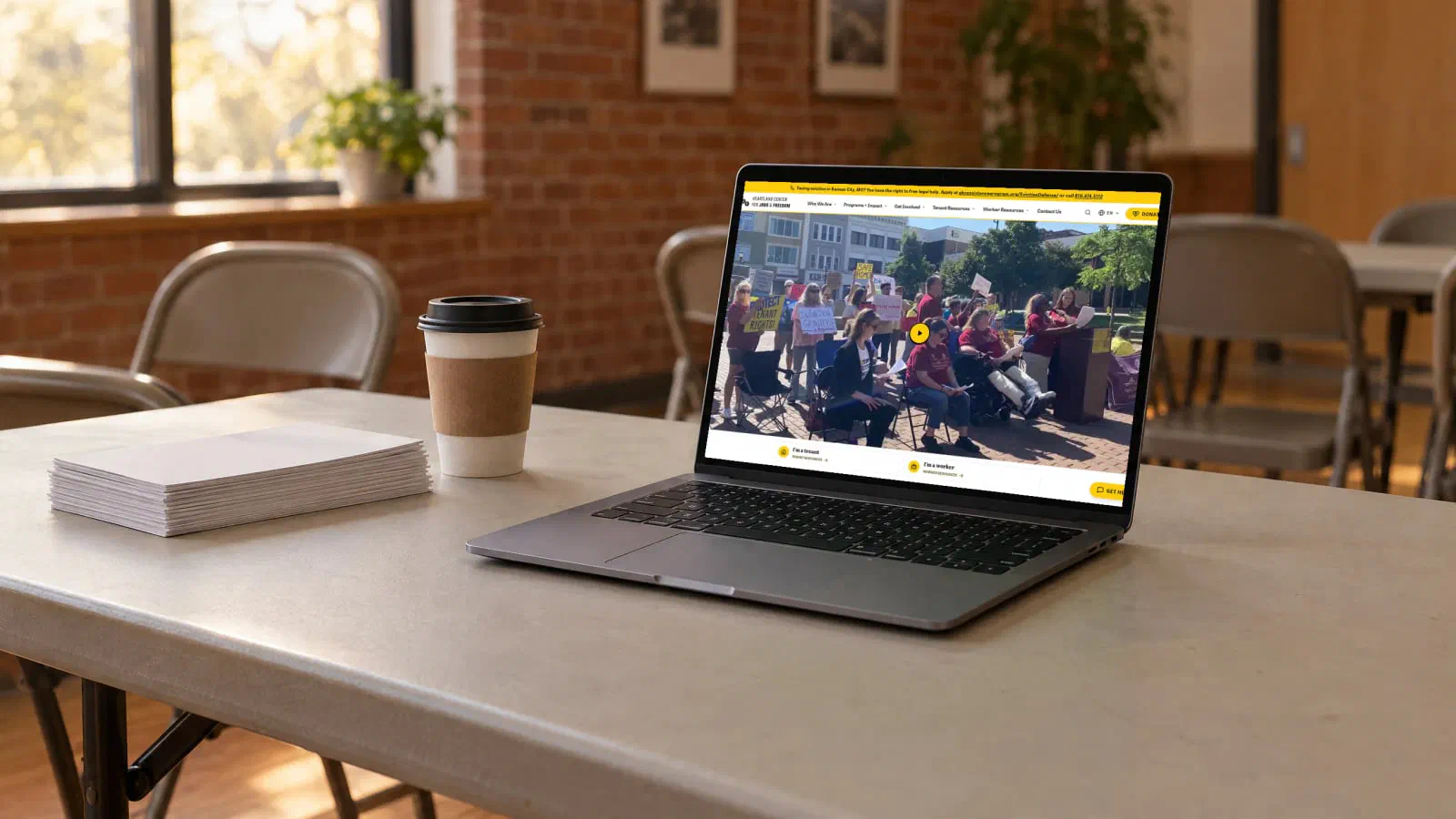
Heartland Center for Jobs & Freedom is a Kansas City nonprofit that helps low-wage workers and tenants across Kansas City and Missouri. People come to the site with very different needs, and some of them have very little time.
The homepage opens with a simple choice: tenant or worker. Each route leads to the resources and help available to that group. A banner about free eviction help, with the emergency number, stays visible above everything else. The site works in English and Spanish, includes accessibility tools and installs as a PWA, so it is easier to use from a phone.
Nothing on that page is decorative. Every element answers “am I in the right place, and what do I do now?”
An emergency repair
Psiktikos provides air conditioning repair, maintenance and installation in Iraklio, Attica, Greece. Someone with a broken unit wants to know two things: can they come, and how do I reach them?
So the phone number and the 24/7 availability appear at the very top. Services are divided clearly into repair, maintenance and installation, and the contact form supports both email and WhatsApp. Our article on websites alongside WhatsApp and Instagram explains why we keep both routes.
A direct booking
Seaside Hotel sits on Vlora’s Lungomare, about 70 metres from the beach. Guests comparing hotels want to see the rooms, the view and the location, then book. The hotel also wanted more guests to book directly, instead of relying only on third-party platforms that take a cut of every reservation.
The site is built around room information, photographs and the hotel’s location, with a clear route to availability and direct booking from the same pages.
How to find your urgent task
The urgent task is rarely a mystery. It is usually what people ask most often by phone, email or message. Some ways to find it:
- ask whoever answers the phone what callers want in the first sentence
- read the last month of messages and group them by request
- look at what people search for before they reach the site
If there are two or three urgent tasks for different groups, as with tenants and workers, let visitors choose their path on the first screen instead of trying to serve everyone in one block of text.
What can wait
Introductions, mission statements, awards and image sliders all have a place. That place is usually further down the page, after the visitor can see how to get help. A short line about who you are helps. A full paragraph before the phone number does not.
Check it on a phone
Most urgent visits happen on a phone. Open your homepage on one and ask:
- Can I tell within a few seconds what this organisation does?
- Is the most important action visible without scrolling?
- Does it work in every language your visitors speak?
- Can I call, message or book with one tap?
If you are preparing a new site, our guide on how to prepare a website brief helps you write these tasks down first. When you are ready, contact us.