
Platform · Open source · Assessment
Open Source Assessment
Self-assessment tool for open source projects, with a printable plan for grant applications.
Visit site (opensourcehealth.internews.org)- Year
- 2021
- Type
- Platform, Open source, Assessment
- Stack
- Bootstrap
- Live site
- opensourcehealth.internews.org

About the project
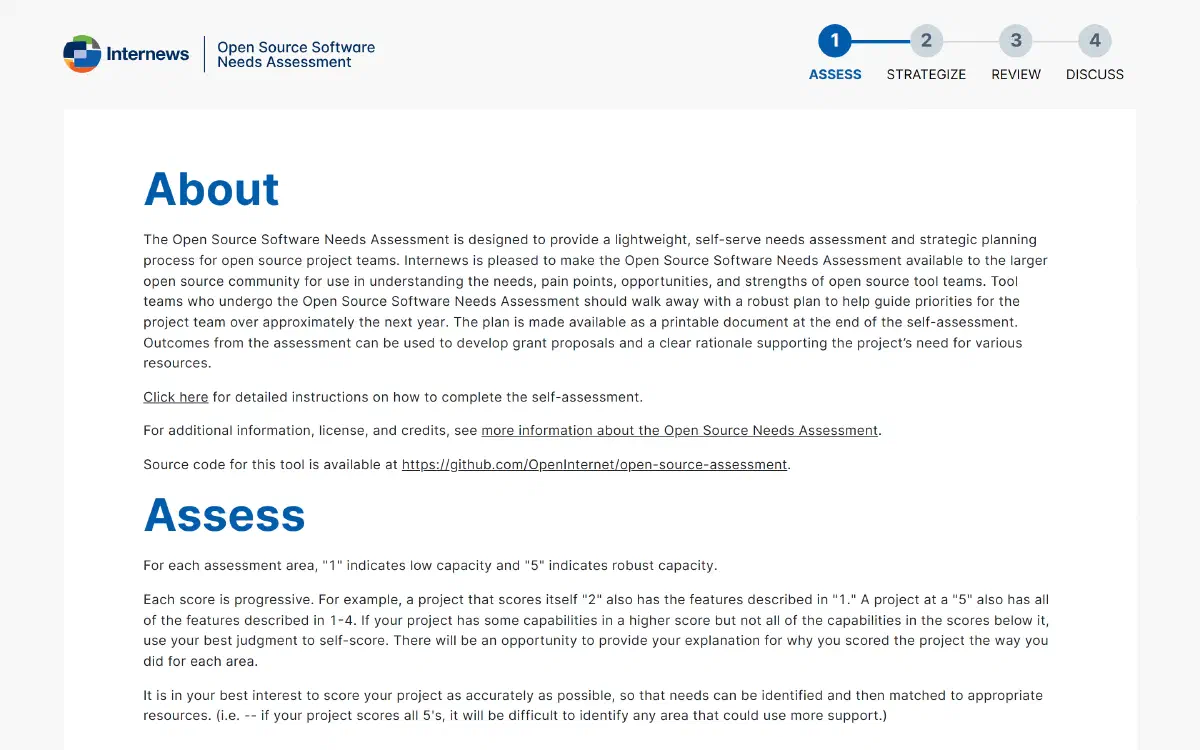
The Open Source Software Assessment is a self-serve tool from Internews. A project team uses it to rate where its project stands and to turn the result into a plan it can print.
Open source teams rarely have time for a formal review, and funders ask for one anyway. The tool makes the process light: a team works through it in one sitting, alone, in the browser. The answers stay on the team's own computer and are not sent to anyone.
What we did
- Interactive assessment tool
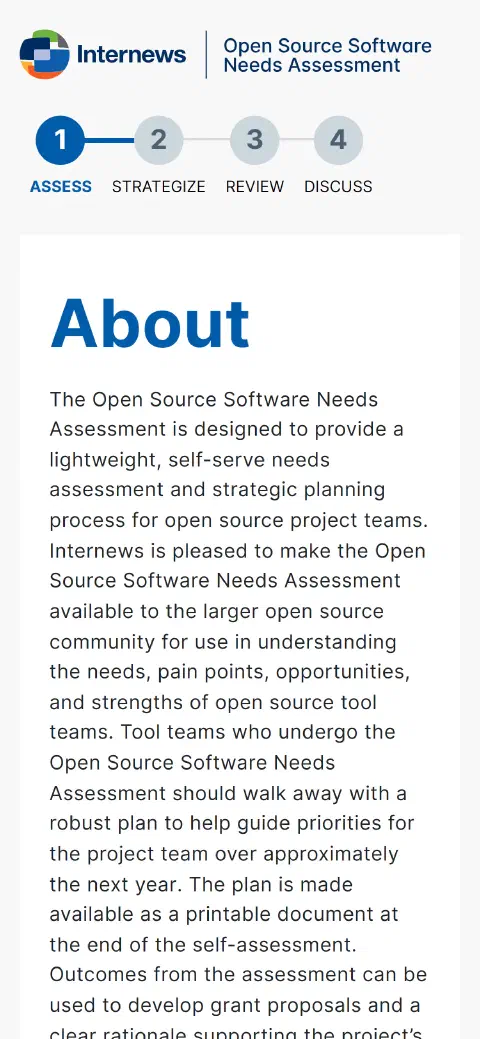
- Four-step flow: Assess, Strategize, Review, Discuss
- Printable plan and downloadable submission
- Interface with Bootstrap
Case study
Challenge
Open source project teams wanted to understand where they stand across code, licensing, community, and sustainability, but lacked a single comparative tool. Funders needed standardized assessments from all applicants.
Solution
We built an interactive tool with four steps: Assess, Strategize, Review, and Discuss. Users rate their project on a 1-5 scale and receive a printable strategic plan at the end.
Results
Teams can review their answers and print a plan to discuss internally or use as supporting material for a grant application.
Screens
In detail
Four steps, in order
The team first rates each area of the project and how much that area matters to it. It then answers strategy questions, reviews the whole picture and chooses the areas worth a deeper discussion.
A plan at the end
The result is a document: a plan the team can print for a meeting or attach to a grant proposal, and a file it can download and keep. The tool produces something to act on, not only a score.
Answers that stay local
The assessment runs in the browser and stores its answers there. A team can be candid about its weak points because nothing leaves the machine unless the team decides to share it.
How it is built
- BootstrapCSS
- A long-established CSS framework with a tested grid and components that volunteers and later maintainers already know.
Lighthouse scores
- Performance
- 100
- Accessibility
- 98
- Best practices
- 100
- SEO
- 91
Lighthouse desktop scores, measured on the live sites.
Related projects

Start with a price, then a conversation.
Build an estimate in a couple of minutes, or tell us what you need and we will outline the work, price and schedule.